As an Amazon Associate, we earn from qualifying purchases. Some links on this site are affiliate links at no extra cost to you. Our recommendations are based on thorough research and editorial judgment.


What Is the Difference Between Touchscreen and Button-Controlled Bike Computers?

Touchscreen and button-controlled bike computers vary in several key aspects. Touchscreens enable fast, intuitive navigation with swiping and tapping, but may struggle in wet conditions. Button-controlled models excel in adverse weather, providing tactile feedback and longer battery life. Touchscreens often integrate advanced features like GPS and interactive maps but can be prone to scratches. Ultimately, each type suits different riding environments and personal preferences. Explore further to discover more about their advantages and ideal use cases.
Key Takeaways
- Touchscreen bike computers offer intuitive navigation with gestures, while button-controlled models rely on tactile buttons for interaction.
- Button-controlled devices are more resilient in wet conditions, maintaining functionality when touchscreens may become unresponsive.
- Touchscreen models typically have shorter battery life compared to button-controlled units, which can last between 26 to 42 hours on a charge.
- Enhanced user customization is easier with touchscreens, allowing quick changes in settings and data displays with simple taps.
- Button-controlled models are generally more durable against dirt and moisture, featuring sealed buttons and fewer exposed components.
User Interface and Operation
You may be interested


How Do GPS Bike Computers Differ From Smartphone Apps?
January 12, 2026

How Do I Mount My GPS Computer Securely on My Handlebars?
December 5, 2025
When we compare user interfaces and operation methods of bike computers, it’s clear that each type offers distinct advantages. The interface evolution has brought about touchscreen displays, allowing fast and intuitive guidance. We can swipe, tap, and utilize gestures for quick access to various settings, enhancing operation efficiency. However, button-controlled models excel in situations where tactile feedback is essential. They enable reliable interactions without needing visual confirmation, especially when traversing rough terrain or wearing gloves. Touchscreen devices may boast larger displays and customizable layouts, but they can struggle in wet conditions. As a result, hybrid models, combining both systems, provide the best of both worlds, ensuring flexibility and reliability for a range of user preferences. Additionally, many modern bike computers feature high waterproof ratings, making them more durable in various weather conditions.
Weather and Environmental Impact

Weather can greatly impact the functionality and usability of bike computers, and understanding these effects is essential for decision-making.
Touchscreen Limitations
In wet conditions, touchscreens become unresponsive due to rain or sweat, making inputs difficult. Cold weather can also slow touchscreen sensitivity. Additionally, condensation can impair performance.
Button-Controlled Advantages
Button-controlled devices maintain functionality in adverse weather. Their sealed buttons are less affected by rain or snow, ensuring operational reliability. Mechanical buttons provide tactile feedback, which is beneficial during challenging environmental conditions. Furthermore, safety certifications are crucial for ensuring that bike accessories remain reliable, even under harsh riding conditions.
Visibility Concerns
Touchscreens often struggle with glare in direct sunlight, impacting readability. In contrast, button-based displays usually retain clarity better.
Recommended Products

【Dynamic GPS Positioning】- This bike computer with higher sensitivity, higher accuracy, faster positioning. The GPS signal tracks your route, it will display ride time, riding distance, total riding time, total riding mileage, clock, current altitude.

【Global GPS Coverage】This bike computer supports 5 satellites positioning (GPS+Beidou+GLONASS+GALILEO+QZSS), which makes it positioning faster and your riding data much more accurate.

ALL YOUR FAVORITE STATS: Displays current, max, and average speed, total distance, trip distance, elapsed time, pace arrow, and clock.
Battery Life and Power Consumption

Battery life and power consumption are critical factors in choosing between touchscreen and button-controlled bike computers. Touchscreen models generally suffer from reduced battery performance due to higher energy demands. They often require more frequent charging compared to button-controlled devices, which can last between 26 to 42 hours. For instance, the Garmin Edge 540 offers 26 hours, extendable to 42 hours in battery saver mode.
In contrast, button models utilize simpler displays, enhancing their energy efficiency. Although some touchscreen devices can extend battery life with solar power, non-solar units tend to fall short. Usage impacts battery life considerably, especially with screen brightness and active features, making power saving settings more essential for touchscreen options. Additionally, devices like the iGPSPORT BSC100S provide an impressive 40-hour battery life, showcasing the efficiency of button-controlled models.
Navigation and Functionality

Touchscreen models enable quick access to maps and menus through taps and swipes, enhancing route customization. Their intuitive gestures, like pinch-to-zoom, allow us to visualize routes better. On the other hand, button-controlled units require cycling through options, which can slow down navigation adjustments. They provide tactile certainty without needing to look down.
Both types feature GPS-based turn-by-turn navigation, ensuring accuracy. However, touchscreens often offer interactive rerouting capabilities, while buttons generally need more steps for route changes. Each system incorporates feedback mechanisms, such as audible and haptic alerts for upcoming turns, though touchscreens frequently combine these cues with visual signals for improved guidance. Additionally, touchscreen models are often designed to integrate with advanced sensor technology for enhanced performance metrics.
Durability and Handling

When comparing durability and handling between touchscreen and button-controlled bike computers, several factors come into play.
Durability
Button-controlled units typically have fewer exposed components, making them more resistant to dirt and moisture. In contrast, touchscreens are more susceptible to scratches and cracks. Hybrid designs that combine buttons and touch interfaces can enhance durability. Additionally, effective anti-seize compounds can be utilized to maintain bike components that support these devices.
Handling
Button feedback is essential in challenging weather. Physical buttons provide reliable operation, even when wet or muddy. Touchscreen sensitivity is affected by moisture, making it difficult to use in certain conditions. Buttons allow for operation without looking, while touchscreens excel in swiping maps but can become sluggish in extreme cold.
User Experience and Preferences
User experience and preferences play a significant role in choosing between touchscreen and button-controlled bike computers.
Responsiveness and Ease of Use
Touchscreens allow for intuitive navigation through swiping and zooming. However, they can be slower to respond in wet conditions, affecting usability. Buttons offer tactile feedback, making them reliable with gloves or sweaty hands, thereby reducing input errors.
Customization and Adaptability
Touchscreens enable customizable layouts, which can enhance user techniques for specific rides. Conversely, button interfaces tend to be more straightforward but can limit access to advanced features.
Visibility and Feedback
Bright touchscreens improve visual appeal but may struggle with glare. Buttons, while less vibrant, are designed for easy reading at a glance. Ultimately, each option reflects distinct user preferences based on reliability, ease, and customizability. Additionally, advanced navigation features, such as those found in multi-satellite GPS support, can significantly enhance the overall cycling experience.
Comparison of Touchscreen and Button Controls
In comparing touchscreen and button controls for bike computers, we can see distinct advantages and disadvantages for each system.
Navigation and Responsiveness
Touchscreen devices offer intuitive navigation through swiping and tapping, enhancing flexibility. However, button controls provide tactile feedback, allowing operation without visual confirmation, which can be essential during focused riding.
Durability and Weather Resistance****
Button-controlled units typically excel in adverse weather, as they’re less susceptible to damage from moisture and physical wear. Touchscreens, on the other hand, may struggle in wet conditions or with thick gloves, impacting usability. Additionally, button controls are often designed with ergonomic comfort that enhances usability in variable riding conditions.
Power Consumption and Battery Life****
Touchscreen models usually consume more power, decreasing battery life during extended rides. Button-controlled devices conserve energy, making them ideal for long journeys depending on usage statistics and software integration needs.
Recommended Products

Advanced GPS cycling computer with button controls combines superior navigation, planning and performance tracking, cycling awareness and smart connectivity

【UNIQUE DESIGN】 This bike speedometer and odometer will completely change your opinion about cycling computers. M2 uniquely designed bike tracker is equipped with a 𝟐.𝟓' anti-dazzling LCD screen which will be easy and clear to read

2 Pcs American Type Arcade COIN Buttons + 2 Pcs POWER buttons with Microswitch reliability tested to 1,000,000 cycles
Advantages of Touchscreen Bike Computers
Touchscreen bike computers stand out in the market for their numerous advantages that enhance the overall riding experience.
User Customization Options
These devices offer intuitive interfaces, allowing us to easily customize data fields and layouts. We can configure settings using simple touchscreen taps, which streamlines operation during rides.
Real-Time Feedback
Larger, high-resolution displays provide real-time feedback and visual clarity. This feature enables us to interpret data swiftly without pressing buttons repeatedly.
Advanced Navigation
Interactivity allows for efficient route planning directly on maps. We can drag waypoints and utilize visual turn-by-turn instructions without stopping. Additionally, these devices often support connectivity with popular training apps, enhancing the overall functionality and training experience.
Recommended Products

Fresh Screen Design: Enjoy a fresh cycling experience with the CC600’s 2.4” colorful screen, durable Asahi glass, and intuitive three-button design. The vibrant display makes navigation and data viewing effortless. With a memory storage capacity of up to 100 hours, the device can record more ride data without frequent syncing.

【3.3'' Touchscreen】Support both touchscreen and button operation, easy to use with clear guidance. Shows up to 12 cycling data per page on a large 3.3" screen for better visibility on every ride.

2.4" HIGH-RESOLUTION COLOR TOUCHSCREEN: Features auto-backlight technology that intelligently adjusts to ambient light, ensuring optimal visibility and effortless control in all riding conditions, with ultra-responsive touch control for seamless navigation and crisp data visualization.
Advantages of Button-Controlled Bike Computers
Durability and Usability
Button-controlled devices feature a user-friendly design, with robust physical buttons that withstand rain, mud, and extreme temperatures. They offer mechanical reliability, maintaining responsiveness even when wet or when using gloves.
Battery Efficiency
These computers consume less power, enhancing battery life. Longer battery performance is essential for long rides, especially when considering the average battery life of wireless cycling computers which typically ranges from 10 to 20 hours.
Simplicity of Operation
Buttons allow precise navigation without accidental inputs, supporting quick access to key functions. Unlike touchscreens, button controls effectively perform in bright sunlight and dirty environments, ensuring consistent usability under various conditions.
Recommended Products
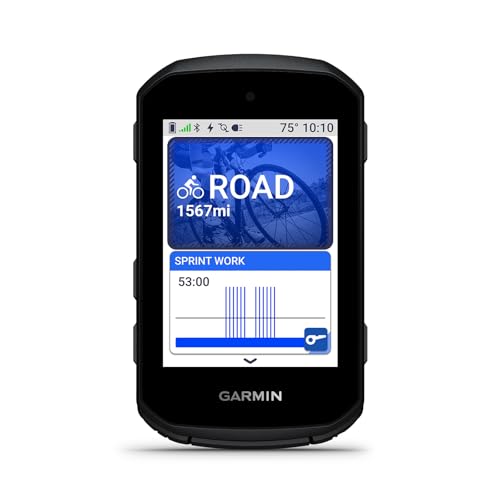
GPS cycling computer with vivid color display and button operations combines superior navigation, planning and performance tracking, cycling awareness, and smart connectivity

ALL YOUR FAVORITE STATS: Displays current, max, and average speed, total distance, trip distance, elapsed time, calorie consumption, pace arrow, and clock.

Accurate GPS Positioning: Coospo's new GPS bike computer has 2 modes of global positioning, which can provide accurate GPS data all over the world. Attention: First-time positioning will take 3-5 minutes, please make sure you are outdoors
Ideal Use Cases for Each Type
Understanding the ideal use cases for touchscreen and button-controlled bike computers helps us make informed choices that suit our cycling needs.
Recommended Products

SAVE YOUR MILES: With the option to manually set the total distance, you don't have to start over every time you change the battery. FOCUS ON THE RIDE, NOT THE SCREEN: Don't...
Touchscreen Use Cases
- Best for mild weather and non-gloved hands.
- Perfect for traversing unfamiliar routes with interactive maps.
- Suitable for quick adjustments and complex data visualization, especially for cyclists interested in detailed metrics.
Button-Controlled Use Cases
- Ideal in cold or wet conditions where gloves are necessary.
- Preferred by cyclists who value tactile feedback and longer battery life.
- Effective for routine rides on familiar paths with minimal need for screen interaction.
Hybrid Models
- Provide flexibility across different cycling styles and user demographics.
- Useful for varying terrains and sudden weather changes, offering both touchscreen ease and reliable buttons.
- These models can be particularly beneficial for cyclists who prioritize adjustable fit mechanisms to enhance comfort and stability during varying rides.
Future Trends in Bike Computer Technology
As technology advances, we’re seeing exciting developments in bike computer technology that promise to improve our cycling experiences. Key integration trends focus on smart features that leverage AI and IoT capabilities. AI enhances real-time data analysis, offering personalized training advice based on metrics like heart rate and fatigue. Meanwhile, IoT provides seamless connectivity with smartphones and fitness apps for data sharing and maintenance checks.
Furthermore, the rise of wireless and GPS technologies supports precise location tracking and route navigation while improving user convenience through wireless designs. Enhanced durability and weather resistance also guarantee that devices perform reliably under various conditions. Together, these trends are creating an integrated cycling ecosystem that boosts both performance tracking and overall rider safety.
Frequently Asked Questions
Are Touchscreen Bike Computers Easier to Clean Than Button-Controlled Ones?
Yes, touchscreen bike computers can be easier to clean with effective cleaning methods. Their smooth surfaces allow for quick maintenance, though we still need to be mindful of touchscreen maintenance to prevent smudges and dirt accumulation.
Can I Use a Touchscreen Bike Computer With a Screen Protector?
When it comes to using a touchscreen bike computer with a screen protector, we can say it’s a no-brainer! Screen protector materials maintain touchscreen sensitivity levels, ensuring we enjoy both protection and functionality on our rides.
How Do Touchscreen Models Handle Low Visibility Conditions?
In low visibility conditions, touchscreen models use glare-resistant screens and often incorporate weather sensitivity features, like backlighting or adaptive brightness. This helps us maintain readability during various weather conditions, enhancing our cycling experience.
What Are Common Compatibility Issues With Bike Computers?
Back in the day, we wouldn’t have dreamed of these connection issues! Today, we often face sensor compatibility problems, where mismatches or misalignments can lead to frustrating data loss on our bike computers.
Are There Specific Brands Known for Reliability in Bike Computers?
When it comes to reliability, we often trust Garmin for its durability and robust features. For usability, Wahoo’s simple navigation suits our needs on the road, making both brands great choices for cyclists.
