As an Amazon Associate, we earn from qualifying purchases. Some links on this site are affiliate links at no extra cost to you. Our recommendations are based on thorough research and editorial judgment.


How Do I Sync My Cycling Data to Strava or Other Platforms?

To sync our cycling data to Strava or other platforms, we need compatible devices like GPS watches or cycling head units. We can enable permissions using OAuth 2.0 for secure data linking. Syncing methods vary: automatic transfers from GPS devices and manual uploads of GPX or FIT files are available. For accuracy, we should verify file formats and maintain device storage. Direct integration minimizes errors and enhances performance analysis. Continue onward to explore detailed steps and best practices.
Key Takeaways
- Sync directly with GPS watches and cycling head units using their native Strava integration for automatic uploads of cycling data.
- Use the Strava mobile app to manually record rides and sync data through your smartphone for quick upload access.
- Ensure device compatibility by utilizing standard export formats such as GPX or FIT when uploading from wearables or sensors.
- Check your device’s storage and internet connection to avoid issues during the syncing process, ensuring smooth data transfer.
- For manual uploads, adhere to supported file formats and maintain data accuracy by backing up files before uploading to Strava.
Device Compatibility for Syncing Cycling Data
You may be interested


When we look at device compatibility for syncing cycling data, it’s essential to understand the variety of hardware available that can connect to Strava.
Recommended Products

Commercial-grade and made in the USA from domestic and globally sourced materials.
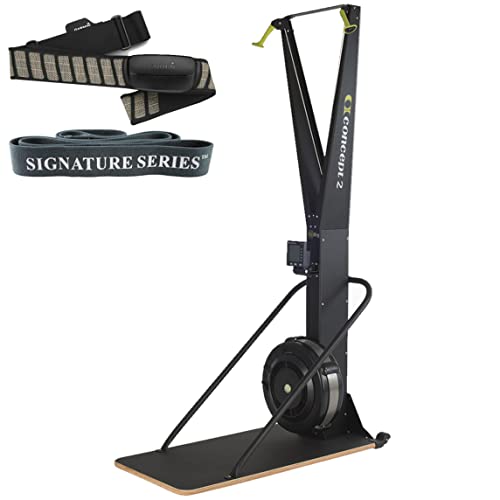
This Bundle Contains: 1 Concept2 Ski Exercise Machine Indoor Exercise Machine | Indoor Aerobic Wind Resistance Skiing System + 1 SkiErg Floor Stand + 1 Garmin HRM-Dual Heart Rate Monitor + 1 Signature Series Resistance Band

Endless Workout Options: Transform every workout with 1,000+ options tailored to your goals. Take on Les Mills classes, compete in races, play multiplayer games, or escape with scenic routes. Stream Netflix, Hulu, Disney+, Prime Video, YouTube, and more, right from your screen. Spotify and Apple Music keep your energy high. Membership unlocks full access to interactive and community-driven features. (Sold separately.)
Supported Device Types
- GPS watches and cycling head units: These are primary devices for direct syncing.
- Smartphones: Using Strava’s iOS or Android app can record and automatically sync data.
- Wearable fitness trackers: Brands like Garmin and Polar can sync as long as they export in standard formats.
- Sensors: Bluetooth-enabled heart rate monitors enhance ride data.
Compatibility Issues
Different device types may face compatibility issues based on the data formats they use. Key formats include GPX, TCX, and FIT. Understanding these can streamline our syncing process. Additionally, manual uploads can serve as backups when direct syncing isn’t possible. Furthermore, ensuring your device is compatible with specific cleat types can maximize the efficiency of your cycling experience.
Enabling Permissions for Seamless Syncing

To guarantee seamless syncing between our cycling devices and Strava, we must carefully enable the necessary permissions for data sharing. This involves granting explicit user consent for various permission types.
User Authentication
We often need to authorize third-party apps using OAuth 2.0. This process allows us to link our accounts securely, assuring correct data flow.
API Access
Platforms specify permission scopes that dictate what data can be accessed, such as activity details and GPS routes. For effective syncing, we should ascertain that our devices and apps support these API authorization processes. Additionally, it’s essential to ensure that our cycling computers are compatible with ANT+ sensors for optimal data sharing capabilities.
Device Settings
We should regularly check our privacy settings and toggle permissions for location and health data on our devices to facilitate accurate syncing with Strava and other platforms.
Methods to Sync Cycling Data to Strava

Using GPS Devices****
GPS cycling computers like Garmin and Wahoo can sync data automatically through their respective apps. They support GPS synchronization, with WiFi or Bluetooth options for immediate uploads. We can also connect power meters and heart rate sensors for more detailed metrics.
Mobile Apps
Strava’s mobile app functions as a standalone GPS tracker, uploading rides automatically. Other cycling apps, such as Wavelo, enable us to record rides and sync directly with Strava.
File Uploads
If automatic syncing isn’t available, we can manually export GPX or FIT files and upload them to Strava through the web or app interface. This guarantees our ride data stays thorough and detailed. Additionally, maintaining our bike’s surfaces with regular bike polish can enhance its aesthetic appeal and performance longevity.
Syncing Data From Strava to Other Platforms

Syncing data from Strava to other platforms is a straightforward process that enhances our training experience and data management. Strava allows us to export our data in different Export Formats, including FIT, GPX, and TCX. Each format serves unique purposes—for example, GPX files are ideal for route planning on GPS devices, while TCX files offer detailed metrics like heart rate.
We can also perform a bulk export for convenient Data Backup, ensuring we keep all our activities secure. This exported data integrates seamlessly with various fitness apps and platforms, enabling thorough analysis of our performance. Utilizing these exported files allows us to track our training progress effectively and enhances our overall cycling experience. Additionally, certain GPS bike computers offer advanced navigation features that can further improve your ride by providing precise tracking capabilities.
Steps to Enable and Manage Syncing

When we want to enable and manage syncing with cycling apps, following a systematic process is essential. First, we should access the profile or settings section of our cycling app to find sync options. Then, we select third-party platforms like Strava. Logging in authorizes data sharing and connecting our cycling device to the smartphone app is vital before syncing.
Best practices include regularly checking connections and ensuring the app is updated. For Garmin users, we enable Strava Courses through Garmin Connect. Additionally, if we encounter issues, we should troubleshoot by confirming permissions and re-pairing devices. Manual uploads are available for legacy devices, ensuring our activity data is accurately captured. By following these steps, we streamline our syncing process effectively. Furthermore, users of devices like the Garmin Edge 530 can take advantage of its robust integration with popular fitness platforms for enhanced tracking capabilities.
Common Issues With Data Syncing
After we’ve established how to enable and manage syncing, it’s important to recognize that issues may often arise during the data transmission process. We face several syncing challenges that can disrupt our data. Low device storage can hinder uploads, while insufficient RAM may freeze syncing processes.
Connectivity Issues
Weak cellular or Wi-Fi connections can delay syncing, resulting in pending uploads. It helps to switch networks if problems occur.
Authentication Problems
Account disconnects may require frequent reauthentication.
File Conflicts
Different devices may use incompatible formats, and corrupted files can freeze the system.
To address these, we should utilize troubleshooting techniques like clearing space, checking connections, and ensuring device compatibility to facilitate smoother syncing. Additionally, maintaining valve compatibility in your devices can help avoid potential issues with file formats during syncing processes.
Ensuring Data Accuracy During Syncing
Guaranteeing accuracy during the syncing process is essential for maintaining reliable cycling data. To achieve data accuracy, we need precise timestamps to track changes accurately. This helps avoid conflicts during sync operations. Version control mechanisms allow us to manage historical changes, which aids in resolving conflicts when multiple updates occur.
Implementing sync validation can greatly enhance our data integrity. We should use validation rules to guarantee that data meets expected formats and value ranges. Regular cross-checks between device data and platform records can help detect discrepancies early. Automated processes for flagging errors, such as missing points or duplicates, provide further assurance. By focusing on these elements, we can enhance the accuracy of our cycling metrics on platforms like Strava. Additionally, keeping track of tire sealant longevity ensures that your bike’s performance data reflects accurate riding conditions.
Supported Data Types in Syncing Processes
Understanding the supported data types in syncing processes is essential for effective cycling data management. Strava primarily accepts three data formats: FIT, GPX, and TCX. The FIT format is favored for its ability to automatically detect specific activity classifications, such as Mountain Bike Ride or Road Ride. In contrast, GPX and TCX files may lack this specificity and might necessitate manual adjustments.
Key data captured during syncing includes:
- GPS coordinates for route mapping and distance
- Speed and elevation data captured via sensors
- Cadence recorded by bike-mounted devices
- Heart rate from compatible monitors
- Power output from power meters
Using the right data format guarantees ideal classification and tracking of cycling activities, enhancing our analytical capabilities. Additionally, ensuring high waterproof ratings for your cycling computer can further improve data reliability in various weather conditions.
Manual File Uploads to Strava and Other Platforms
Manual uploads to Strava and other platforms provide cyclists with a straightforward way to share their activity data. We can initiate uploads via Strava’s web portal by selecting the ‘File’ option, choosing files in FIT, GPX, or TCX formats. It’s important to remember the manual upload challenges, such as a 25MB file size limit and the need for valid GPS data. After selecting an exported file from another platform, we click ‘Upload’ to complete the process. Activities can be edited post-upload, allowing us to rename or assign gear. However, it’s vital to back up our files and maintain data accuracy to prevent issues when uploading to Strava and other platforms. Additionally, ensure your cycling shoes offer effective ventilation to enhance comfort during rides, which can improve overall performance.
Benefits of Direct Device Integration for Syncing
When we integrate our cycling devices directly with platforms like Strava, we unfasten a range of benefits that enhance our overall experience.
Enhanced Data Accuracy and Reliability
Direct integration benefits us through automatic data transfer, minimizing human errors common in manual uploads. Our devices track metrics like speed and distance, providing precise and reliable data.
Streamlined User Experience
This integration boosts syncing efficiency. We no longer need to manually export files, saving time and effort on each upload. Automatic syncing guarantees our training logs are always current.
Advanced Analytics and Insights
Real-time syncing enables a rich dataset, facilitating better analysis of our performance, including metrics like Training Stress Score (TSS). With accurate tracking of cycling metrics like grip and control, we can optimize our training sessions and enhance our overall cycling experience.
Frequently Asked Questions
Can I Sync My Cycling Data to Multiple Platforms Simultaneously?
Yes, we can sync our cycling data to multiple platforms simultaneously through third-party integrations. However, we need to manage settings carefully to avoid duplication and guarantee our data remains accurate across all platforms.
What Types of Devices Support Syncing With Strava?
Countless cycling devices boast brilliant syncing methods with Strava. From Garmin watches to Wahoo computers, we can seamlessly share our cycling stats, ensuring our rides shine through in shared fitness fun.
How Do GPS Inaccuracies Affect My Cycling Data?
GPS inaccuracies considerably affect our cycling data, leading to GPS variance and route discrepancies. This accuracy impact can compromise data reliability, making it difficult for us to trust our performance metrics and track progress effectively.
Is There a Limit on How Much Data I Can Sync?
Oh, the agony of data limits! Unfortunately, we do face restrictions with syncing protocols. Each device has its quirks; some allow only a handful of segments. It’s a careful balancing act for us cyclists!
Can I View Previous Activities Synced to Strava?
Yes, we can view our previous activity access by logging into Strava. All synced activity history appears in our profile, including maps and metrics, so we can easily revisit our past rides and workouts.


